Ran your shop on Shopify, WooCommerce, other software or Excel? No retyping. Export one file from where you are and upload it — products arrive with images, prices, discounts, stock and variants. You see how many will come in, and why any row is skipped, before anything is added.
From BDT 499 a month · first 30 days free · no card needed · All plan prices
The Products → Export CSV as it is — variants (Option1-3), compare-at price, cost, SKU, type and draft products are all understood.
The Products → Export CSV — simple and variable products, each variation with its own stock and price, discounts from regular and sale prices.
Column names in Bangla or English — "Name", "Price", "Rate", "Qty" are recognised. If not, you pick which column is which. Prices like "৳ 1,450" or "Tk. 1450" work.
Image links in the file are downloaded and attached automatically, resized for the web — it keeps going even if you close the page.
How many products, how many with variants, which rows are skipped and why — nothing is added until you confirm.
Products whose barcode/SKU already exists in your shop are skipped, so uploading the same file twice is safe.
Name, mobile and address — numbers with +880, dashes or Bangla digits are normalised and each number comes in once. Shopify customer exports work.
Export products in Shopify and WooCommerce formats and all data to Excel any time — no lock-in.
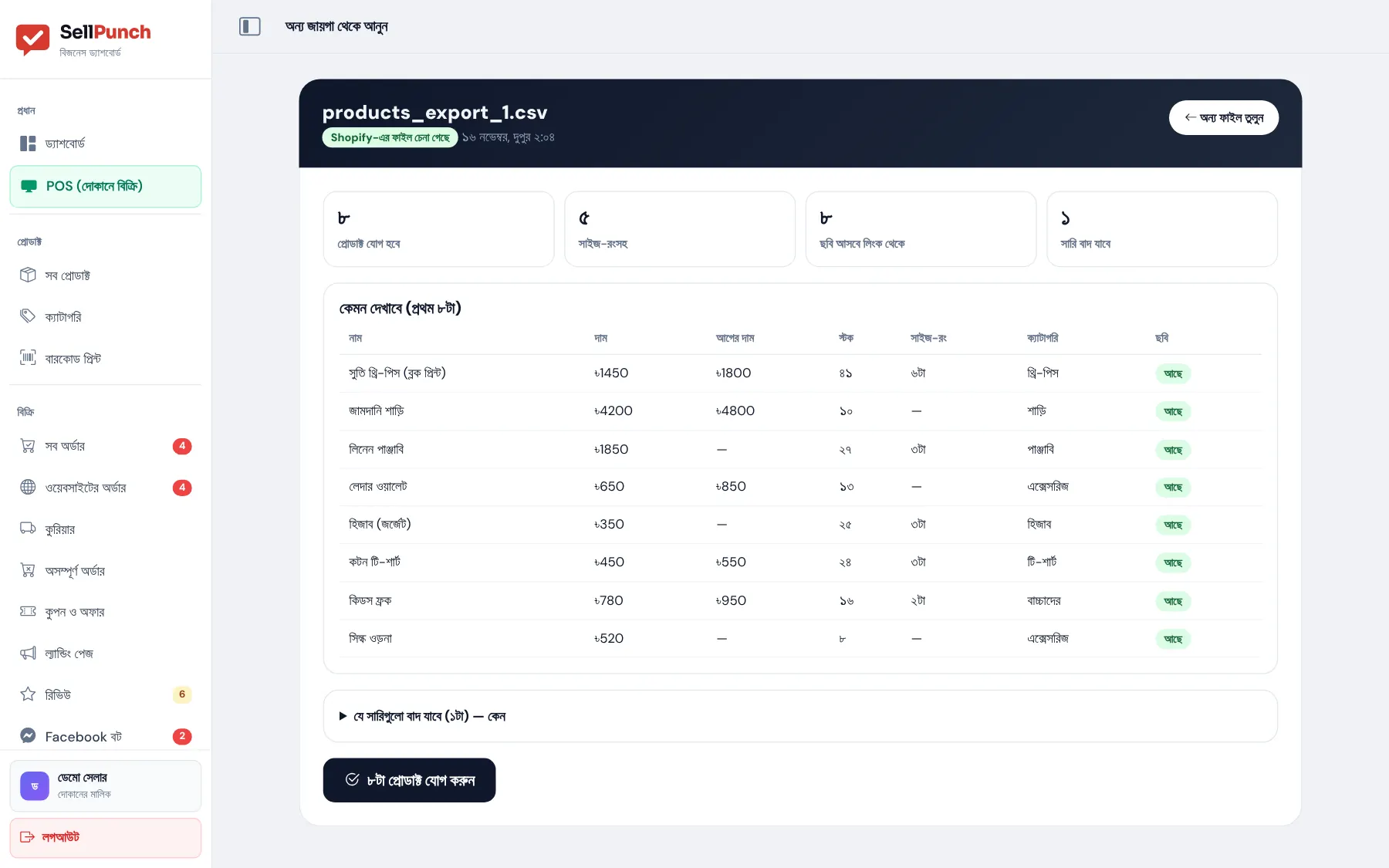
Shopify or WooCommerce: Products → Export; other software: download Excel.
All products → "অন্য জায়গা থেকে আনুন" (import) → choose the file.
See what will come in, then add — products go live on your website and POS at once.
In Shopify Admin go to Products → Export → All products → CSV, then upload the file in SellPunch under All products → "অন্য জায়গা থেকে আনুন" (import). Products arrive with variants, prices, compare-at prices, stock and images. For customers, use Customers → Export and upload it under Customers.
Yes. WordPress → Products → Export → Generate CSV. Variations, regular and sale prices, stock, categories and images come in.
If the file has image links (Shopify and WooCommerce exports do), SellPunch downloads and attaches them. Any that fail are listed so you can add them yourself.
No — it is in every plan and the 30-day free trial. Plan product limits apply: 200 on Basic, 1,000 on Standard, unlimited on Premium.
Anywhere you can download Excel or CSV from. Recognised column names match automatically; otherwise you pick which column is which.
No — products and customers come across, and new orders start in SellPunch. Keep your old order export for your records.
Your website is live in 1 minute. 30 days free, no card — if you do not like it, do nothing.